Build
An AI Engineer on every project
Every project has its own AI Engineer. It builds and changes the app, and it files tickets for the work.
Your clients never have to learn a new tool to get a change made.

For agencies
Every app you start on Chipp has autonomous development built in. Your clients ask for changes, your AI engineer builds them, and you stay in control of what ships.
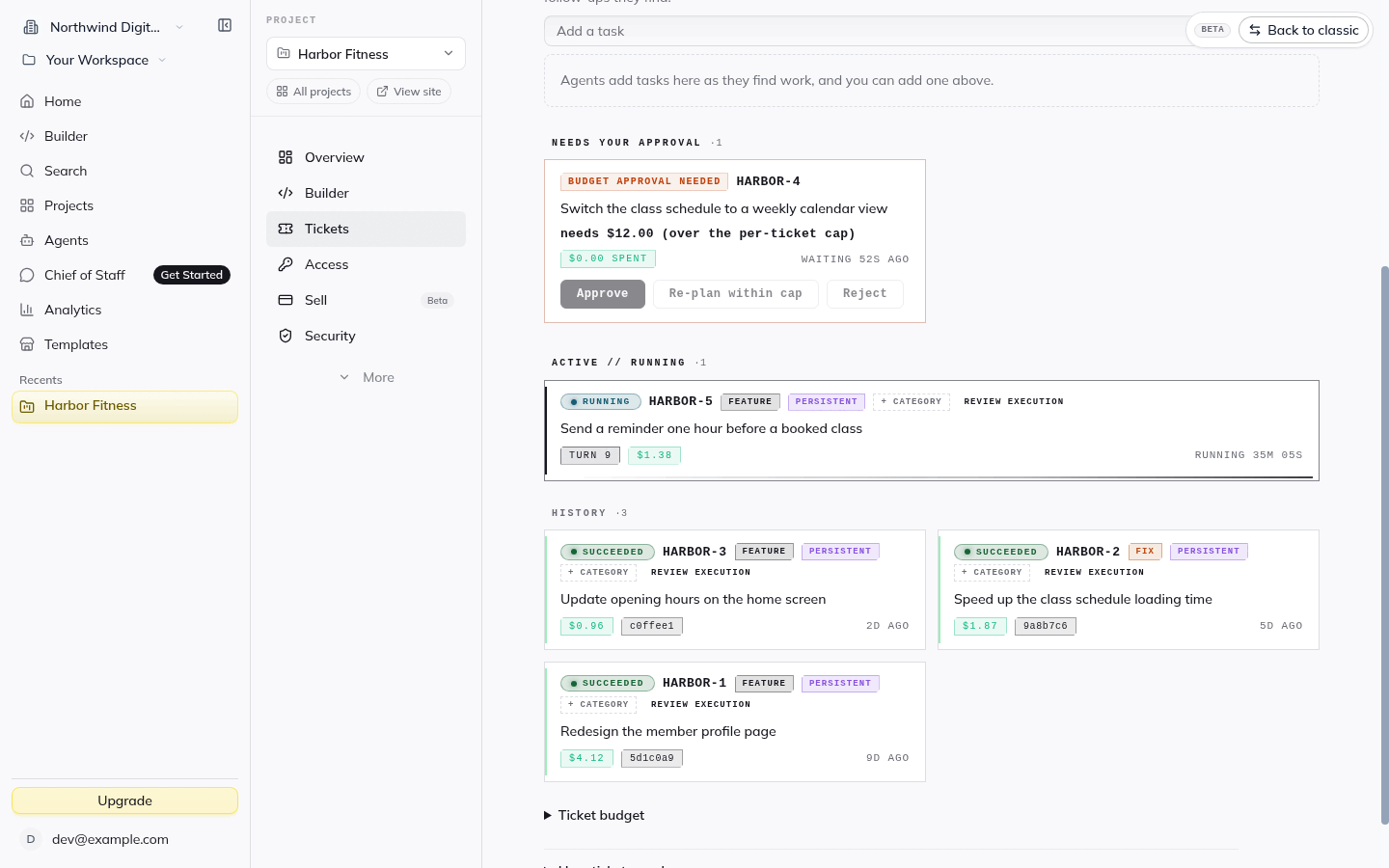
You do not bolt on a separate dev team or a ticket tool. The AI Engineer is part of the project from the first day.
Take a request from a client, approve it, and watch it get built, tested and released.
An AI Engineer on every project
Every project has its own AI Engineer. It builds and changes the app, and it files tickets for the work.
Your clients never have to learn a new tool to get a change made.
Clients ask where they already are
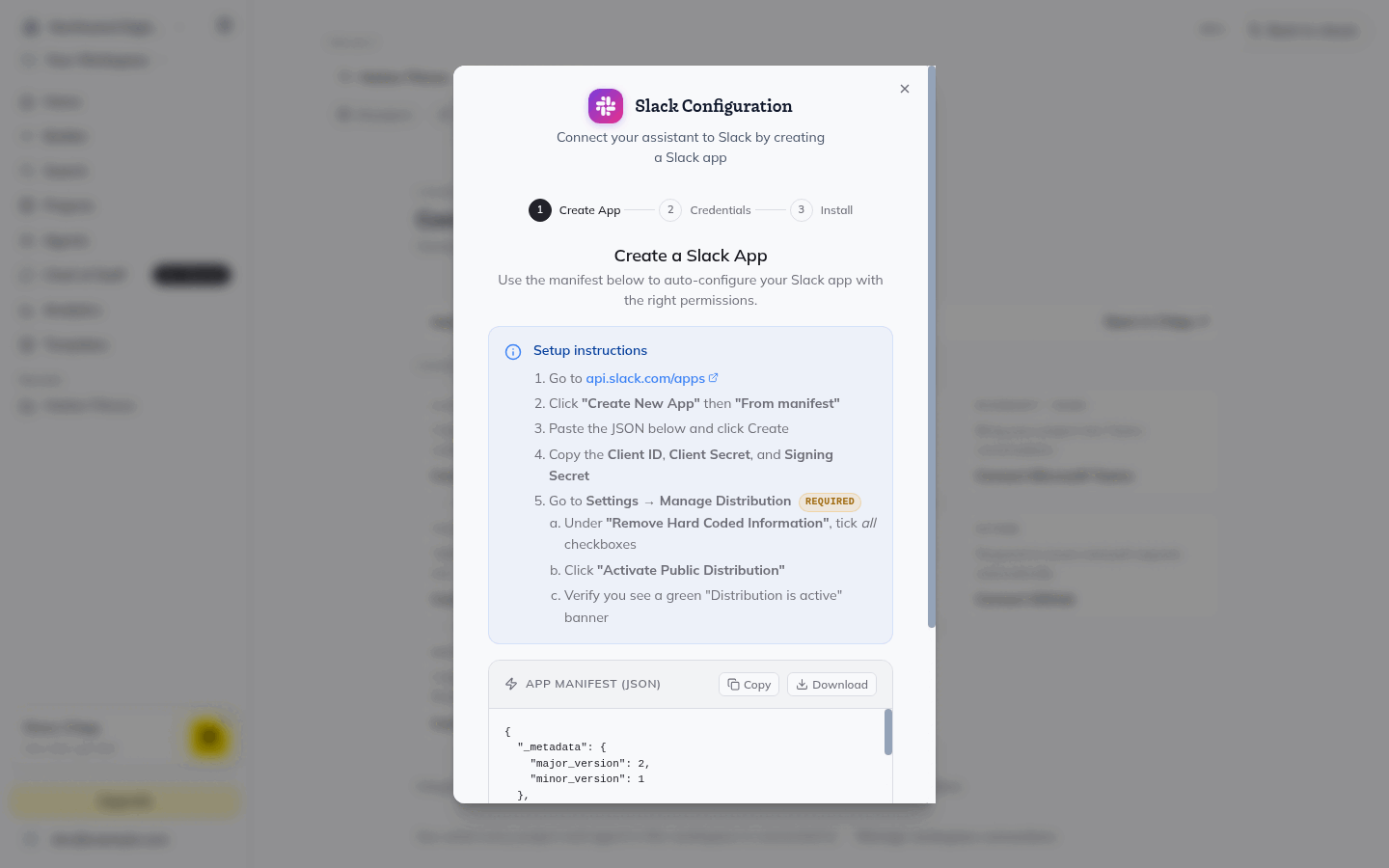
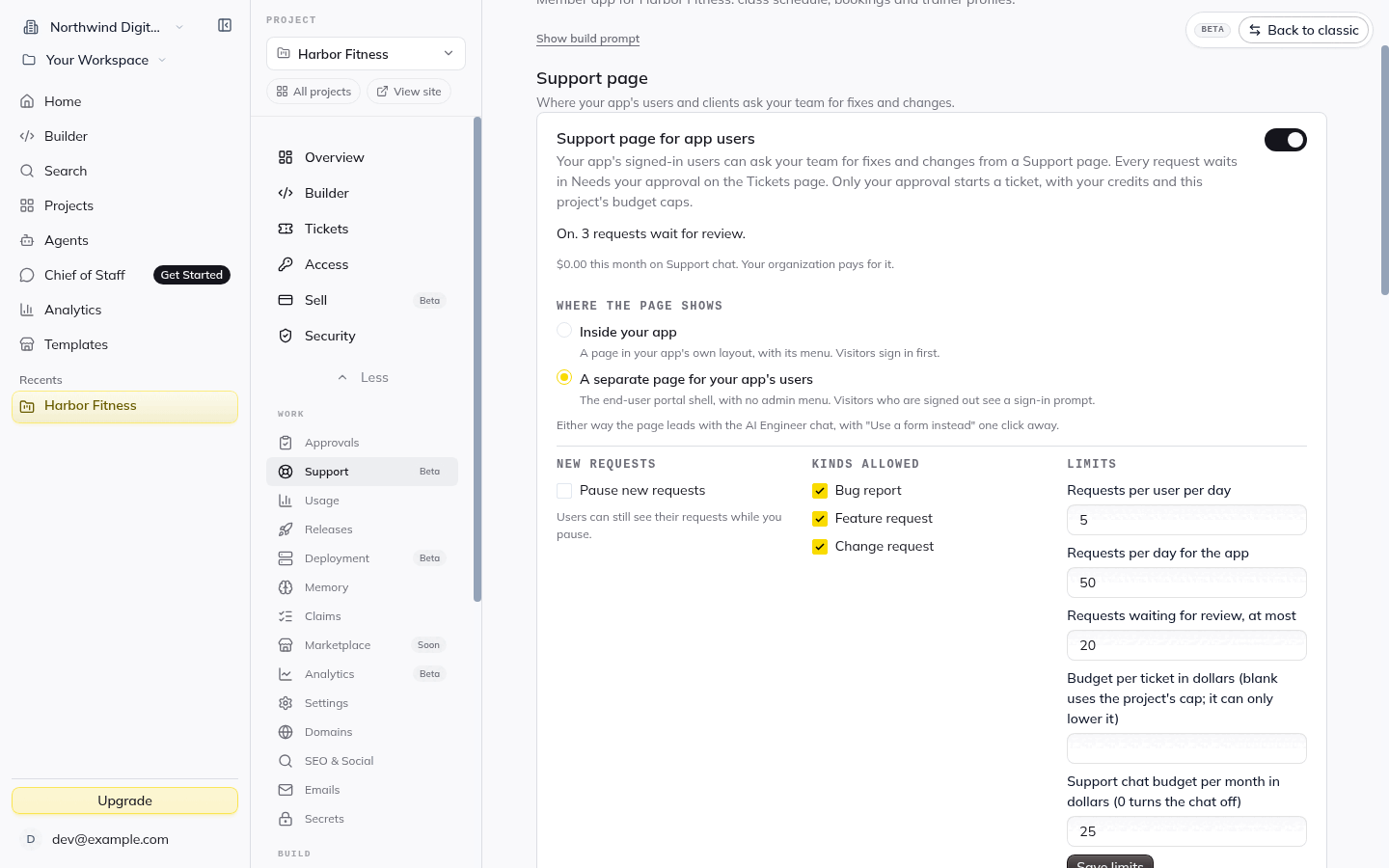
Connect the AI Engineer to Slack and work in a channel with your client. Or switch on the Support page inside the app, so signed-in users can report bugs and ask for changes.
You approve, it builds, it goes live
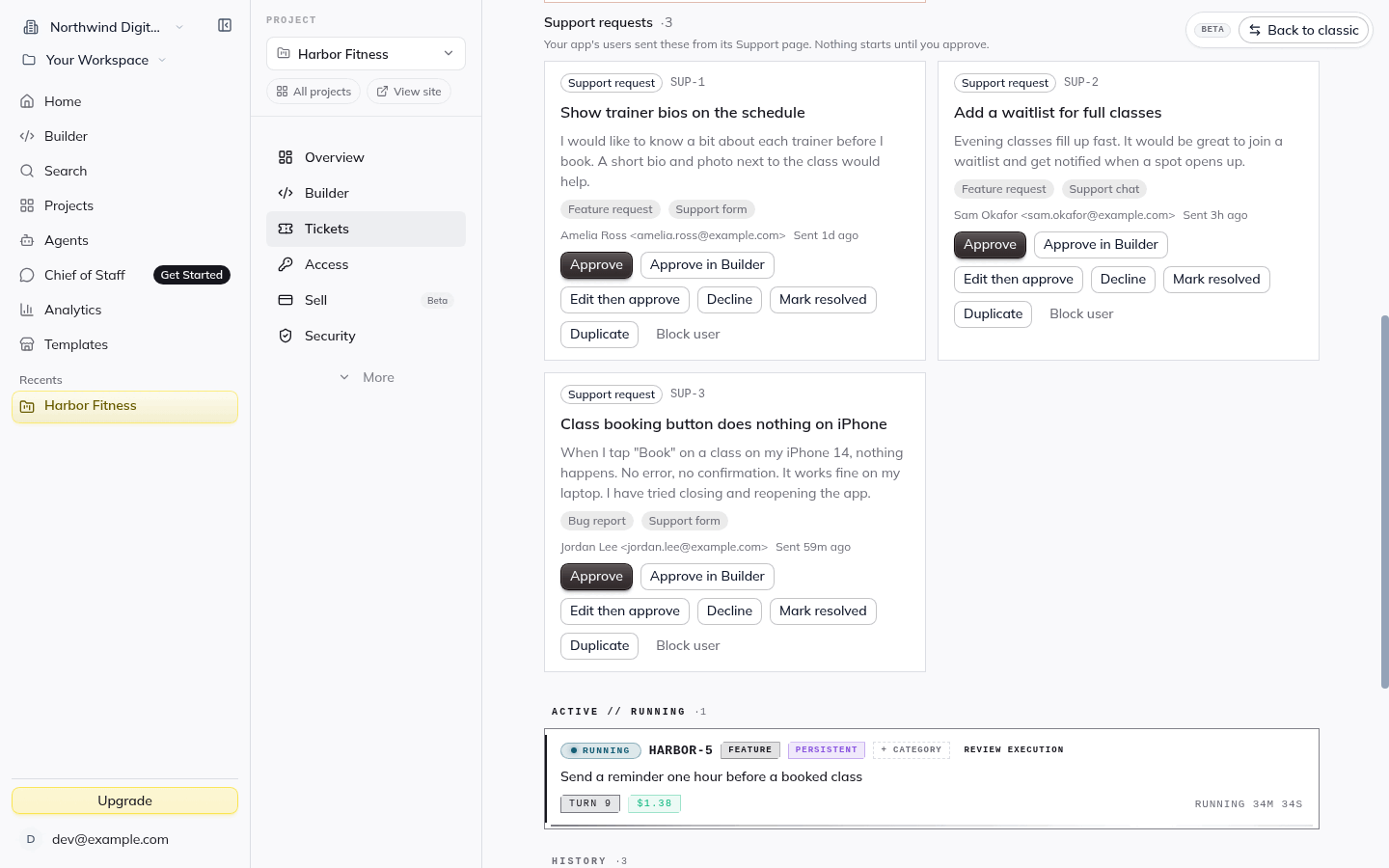
Every request waits for your approval. Approved work is built and tested, then released the way you choose: as soon as it is built, on a schedule, or when you press Deploy now.
Slack
Connect your project's AI Engineer to Slack, invite it to a client channel, and @mention it. It reads the thread, asks a question if it needs one, and proposes the work as a ticket.
Support page
Switch on the built-in Support page, and signed-in users can ask your team for fixes and changes from inside the app, in a chat or a form.
Approvals
Client requests land in "Needs your approval". Only your approval starts a ticket, with your credits and the project's budget caps.
Autonomous development
Approved tickets run on their own in an isolated sandbox against your project's repository. You see what is running, what finished and what it cost.
Version control
The Releases tab keeps the history of your app. See what shipped and when, and roll back to an earlier version if you need to.
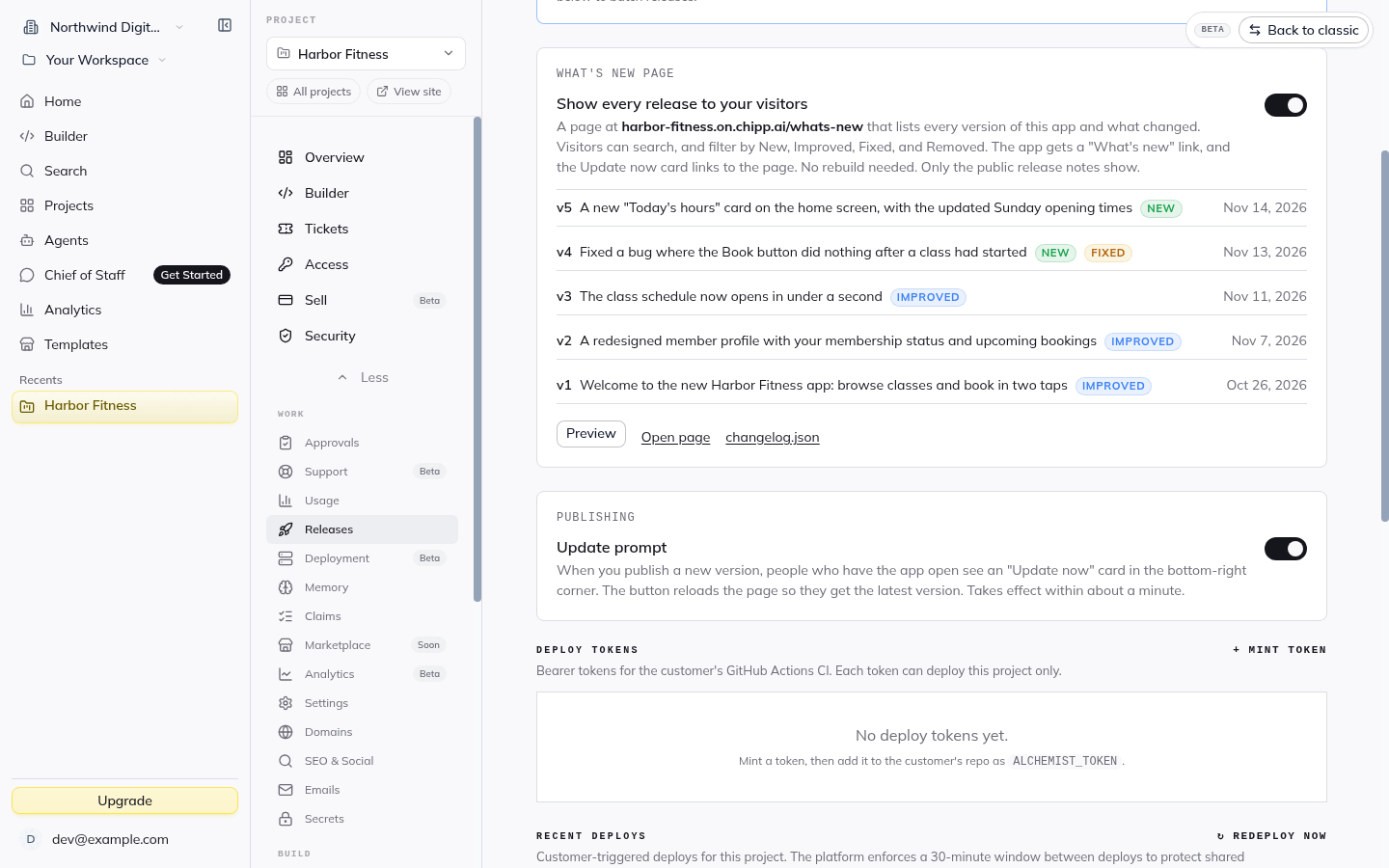
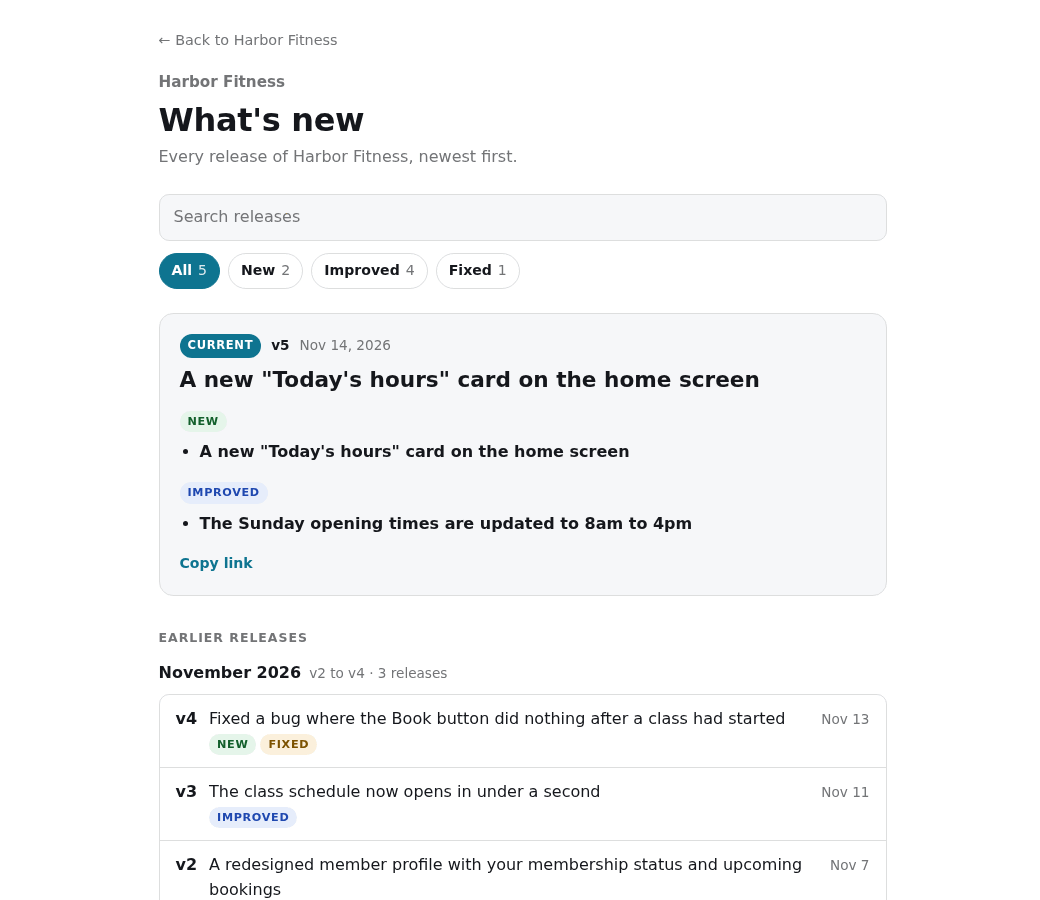
What's new
Each version gets plain-language release notes. Your client can search them and filter by New, Improved, Fixed and Removed, so they always know what changed.
Screenshots are real captures of the Chipp software factory, with example data from a fictional app.
Every project has one AI Engineer. It builds and changes the app and files tickets. People who use your app do not talk to it. To use it in Slack, you create the project agent once on the Connections page.
No. Every Support request and every Slack proposal waits for your approval before any work starts. You also choose how finished work goes live: Continuous, Manual or Scheduled.
It depends on the ticket and on your release setting. With Continuous, finished work goes live as soon as its build finishes. New projects start on Manual, where someone presses Deploy now.
Tickets draw on your credits, and you can set a budget for each ticket. The autonomous ticket system and the AI Engineer in Slack are part of a paid plan. See the pricing page for which plan includes them.
Yes. Switch on the What's new page, and every release lists what changed. Only public release notes show. You can also switch on an Update prompt for people who have the app open.
Yes. The Releases tab lists earlier deploys, and you can roll back to one in a single step. A rollback restores code, not data.
Yes, with the right plan, HIPAA mode and a signed BAA. See the security page for what each one covers.